01/ Building Practical AI for Dental Teams: Newton Product Design Highlights

01/ Building Practical AI for Dental Teams: Newton Product Design Highlights

Shipping Impactful AI Features for Practice Teams & DSOs

Shipping Impactful AI Features for Practice Teams & DSOs

B2B SaaS

B2B SaaS

AI / Automation

AI / Automation

Healthcare

Healthcare

WHAT IS NEWTON?

Newton is an AI-powered patient communication platform that reimagines the dental front desk. Automating outbound and inbound calls, scheduling, insurance checks, and follow-up—all while surfacing enterprise-level analytics—Newton helps clinics and DSOs unlock missed revenue, improve patient experience, and streamline operations.

PROJECT OVERVIEW

As Design Lead, I drove a comprehensive dashboard initiative to solve emerging pain points for Newton’s practice users and to launch high-value features for DSO (Dental Service Organization) clients.

My work spanned both critical redesigns and foundational new features

Task Management

Task Management

Insurance Benefits

Insurance Benefits

DSO Analytics

DSO Analytics

User Discovery: PostHog Replay Analysis

To understand real user pain points, I analyzed PostHog session replays and support tickets, which revealed deep-rooted workflow obstacles and the need for more context, clarity, and scannable detail in our dashboard.

Feature Deep Dive

Task Escalation Workflow

Task Escalation Workflow

Background

Newton’s AI, Sophia, handles most patient calls/texts autonomously. When Sophia encounters issues she cannot resolve, she escalates the conversation to a human staff member as a “task".
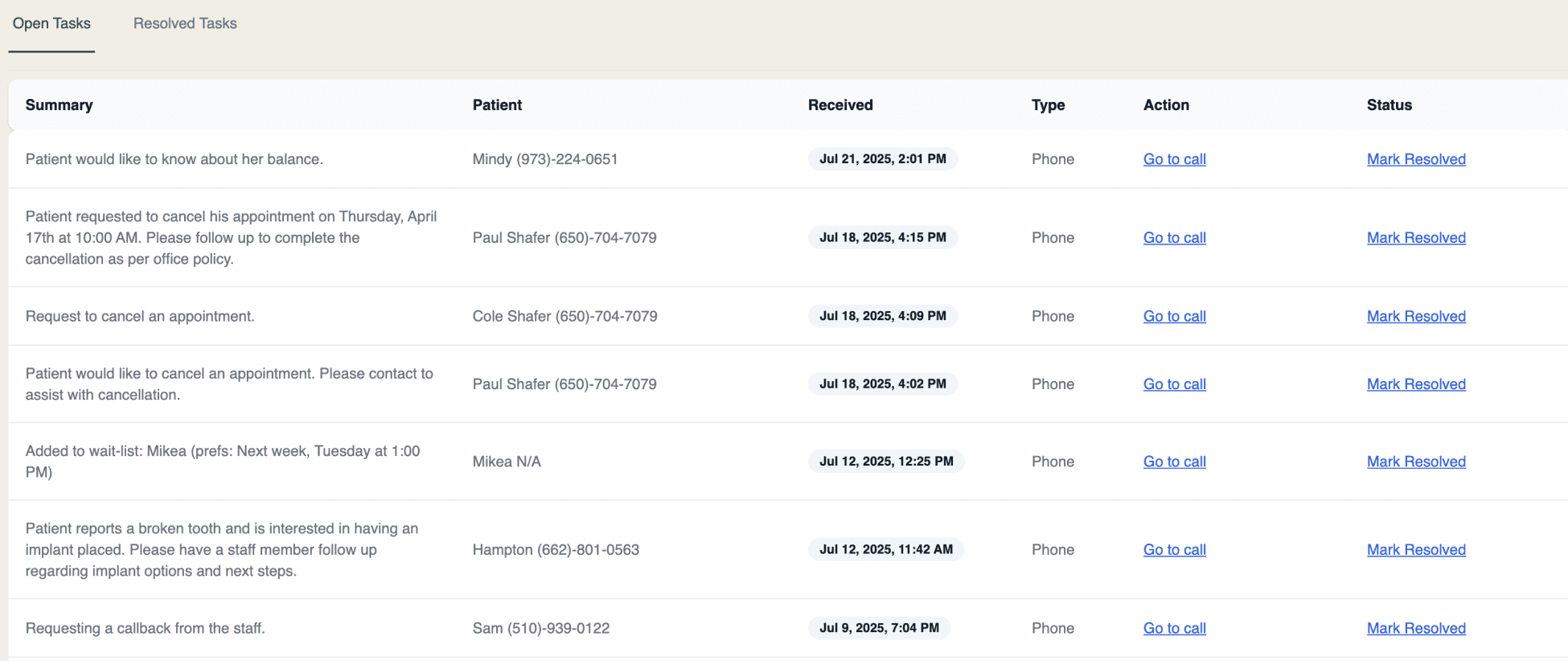
Old Task dashboard Design
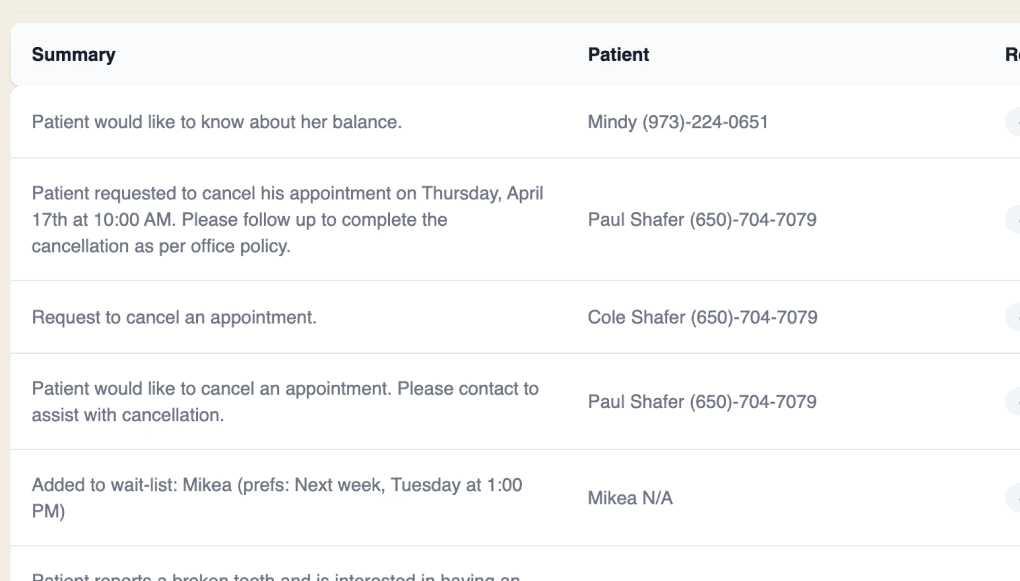
Core identified problems

Core identified problems

Tasks did not differentiate the reason for escalation

Tasks did not differentiate the reason for escalation

Whether it's a new patient appointment or rescheduling, etc., the summaries alone were not enough for quick scan of information for busy employees.

Whether it's a new patient appointment or rescheduling, etc., the summaries alone were not enough for quick scan of information for busy employees.

Tasks couldn’t be assigned or easily tracked by status

Tasks couldn’t be assigned or easily tracked by status

The action button wasn’t visually prominent enough, so busy dental staff often missed it—leading to delays and unclear task ownership.

The action button wasn’t visually prominent enough, so busy dental staff often missed it—leading to delays and unclear task ownership.

Design solutions

Design solutions

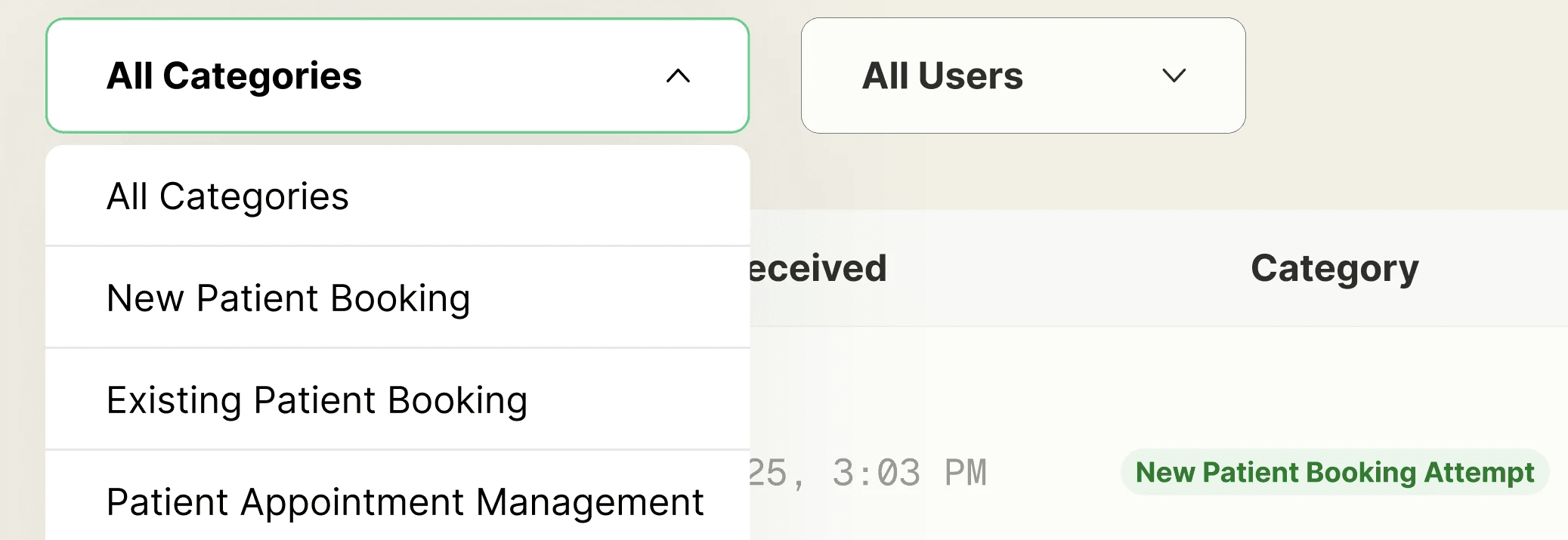
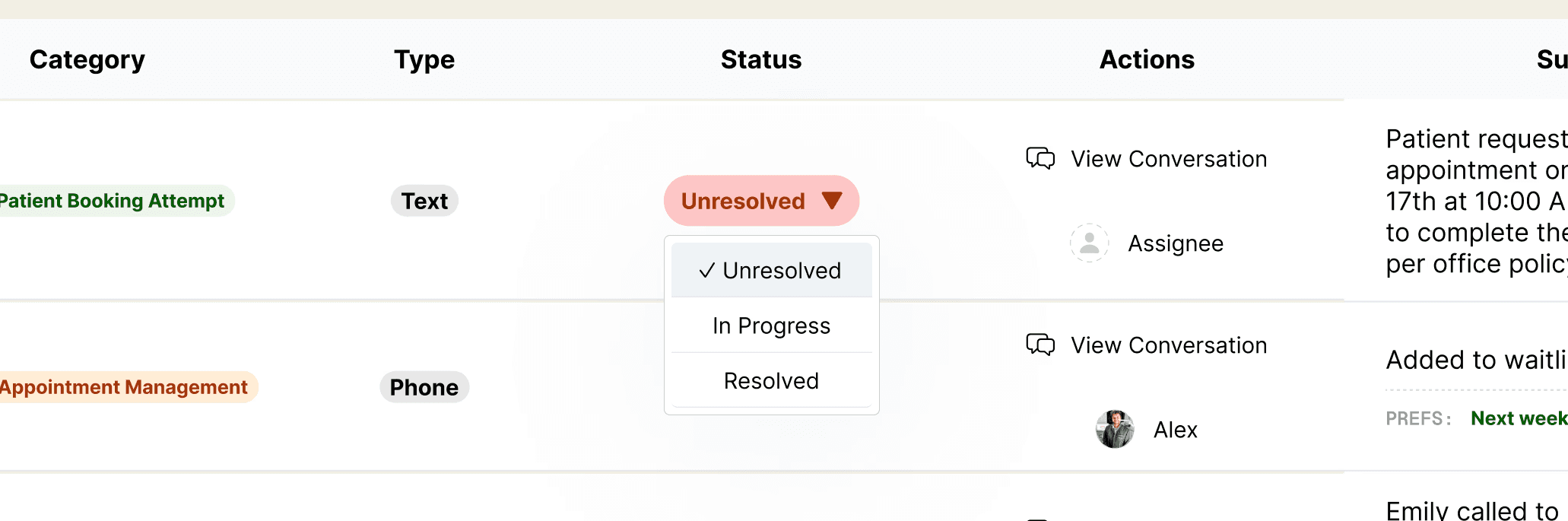
Conversation Categories

Introduced clear conversation categories (e.g., New Patient Booking Attempt, Existing patient booking attempt, etc.) to each task row for instant visual sorting with color coded tags.
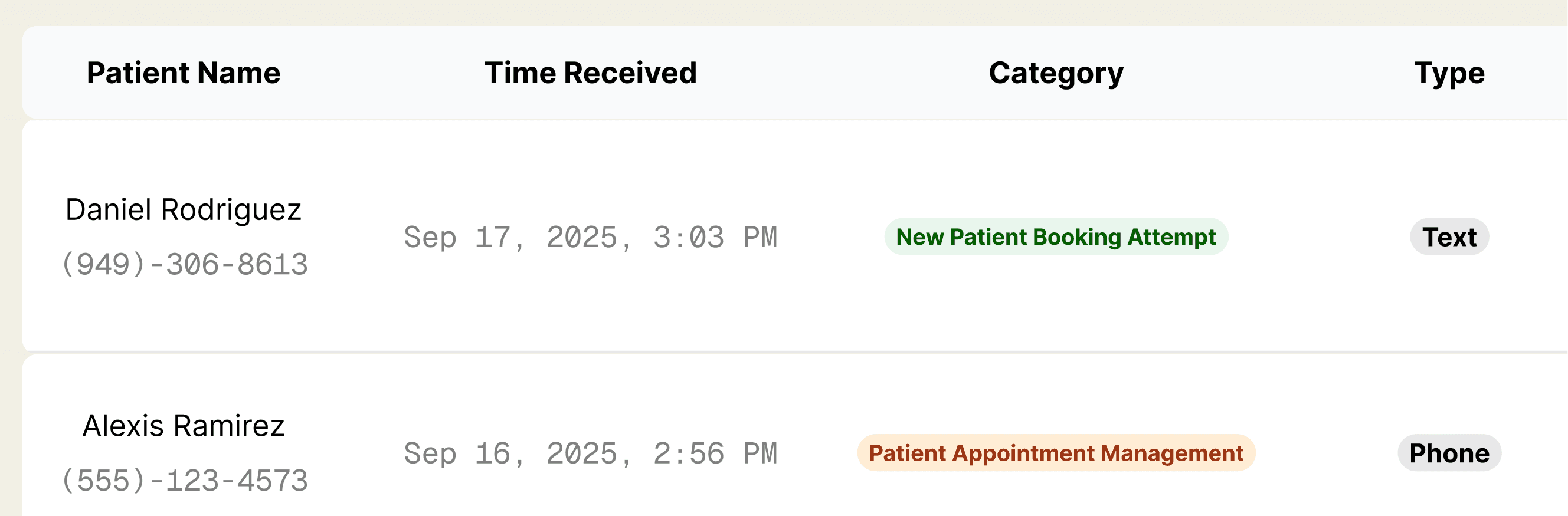
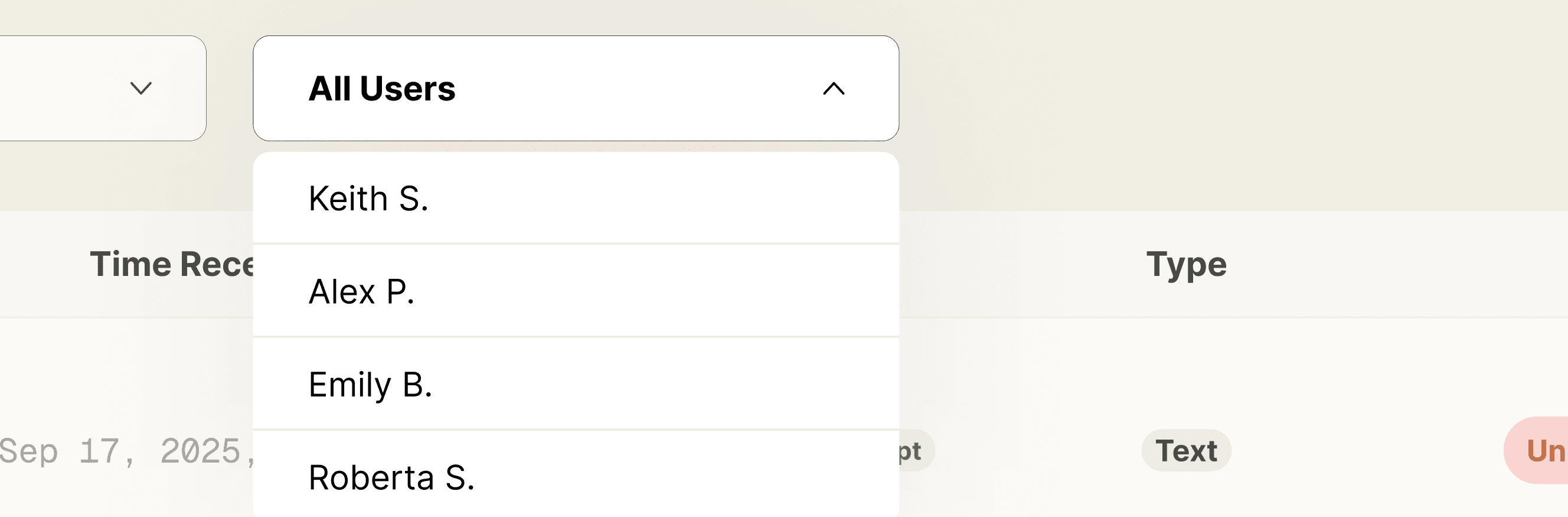
Task assigning

Added quick actions, including re-assigning tasks to different staff directly from the dashboard.
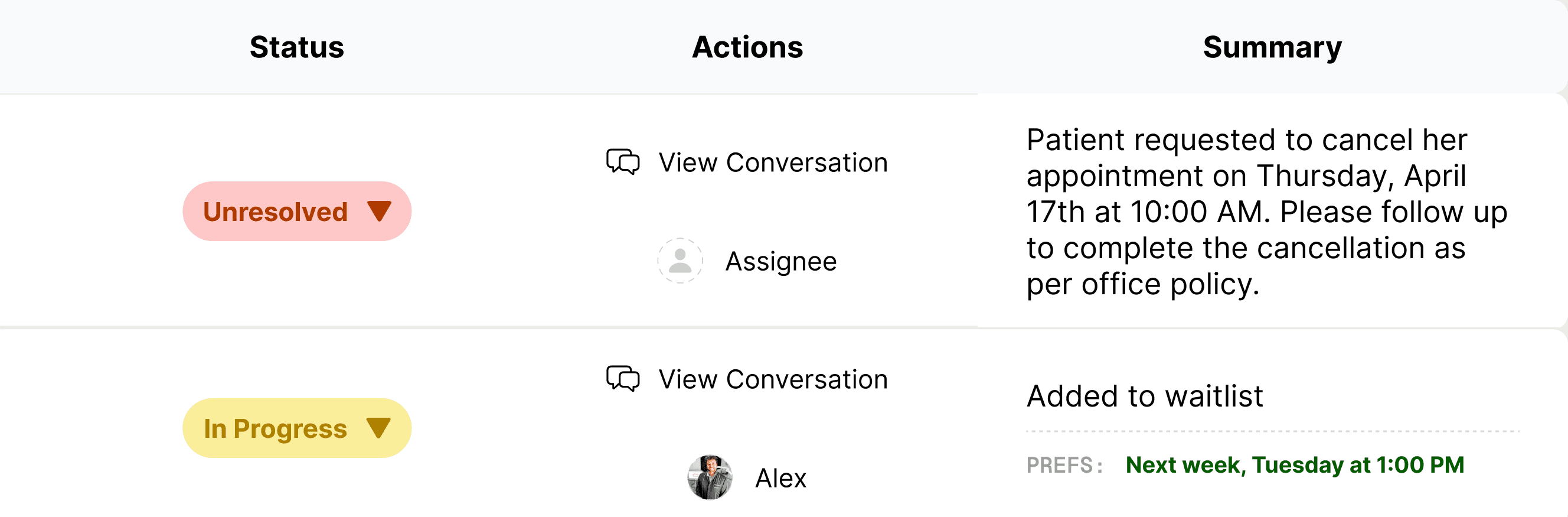
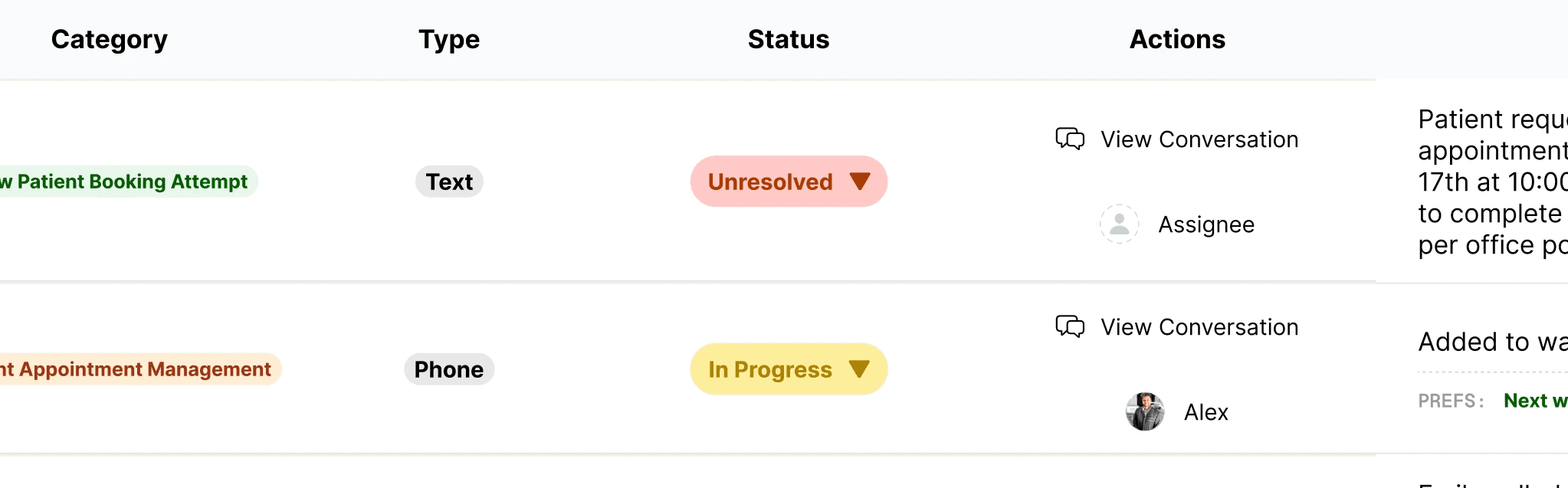
Task status marking

Enabled status marking (in progress, unresolved, completed) and prioritized unresolved tasks visually.
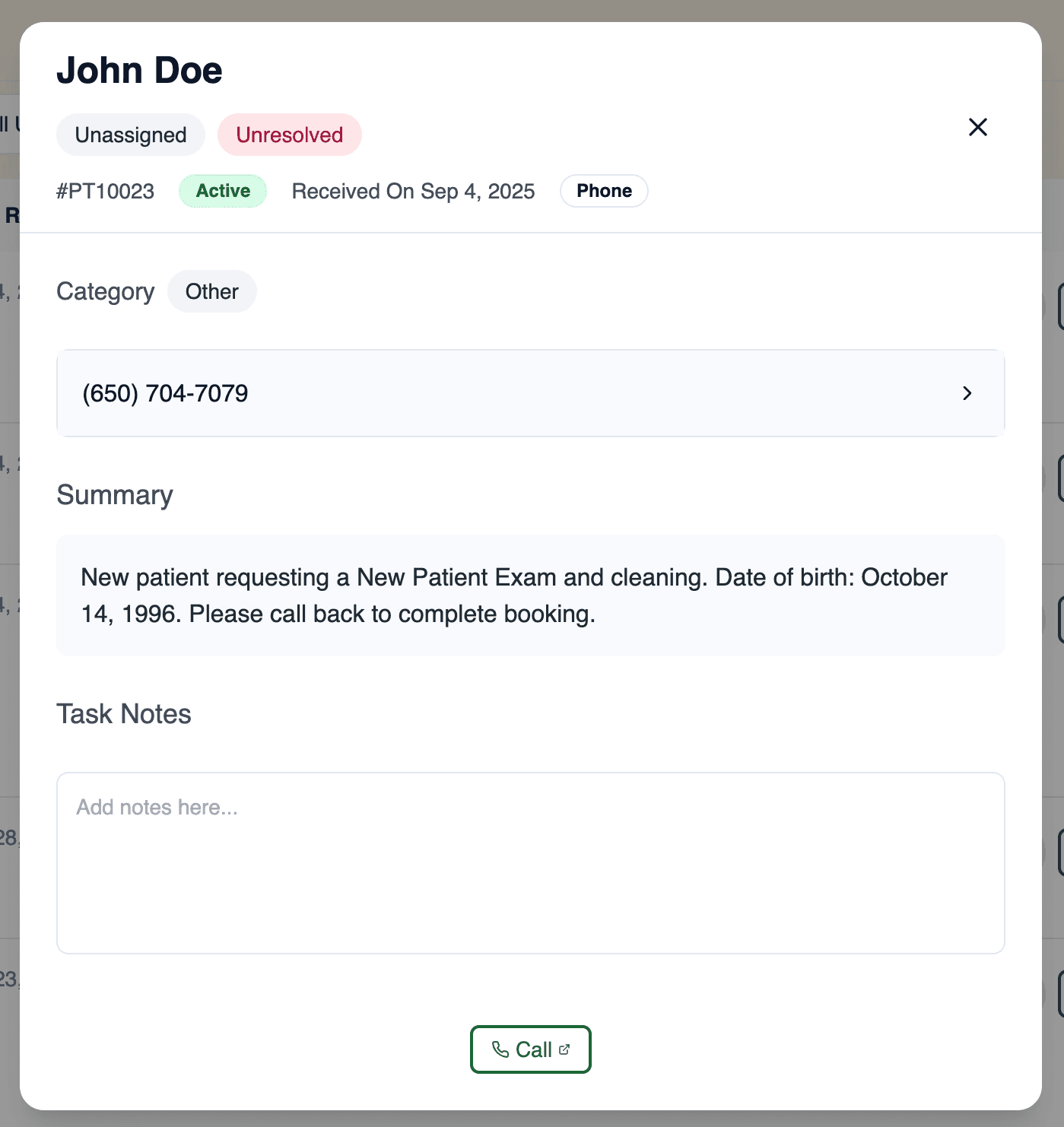
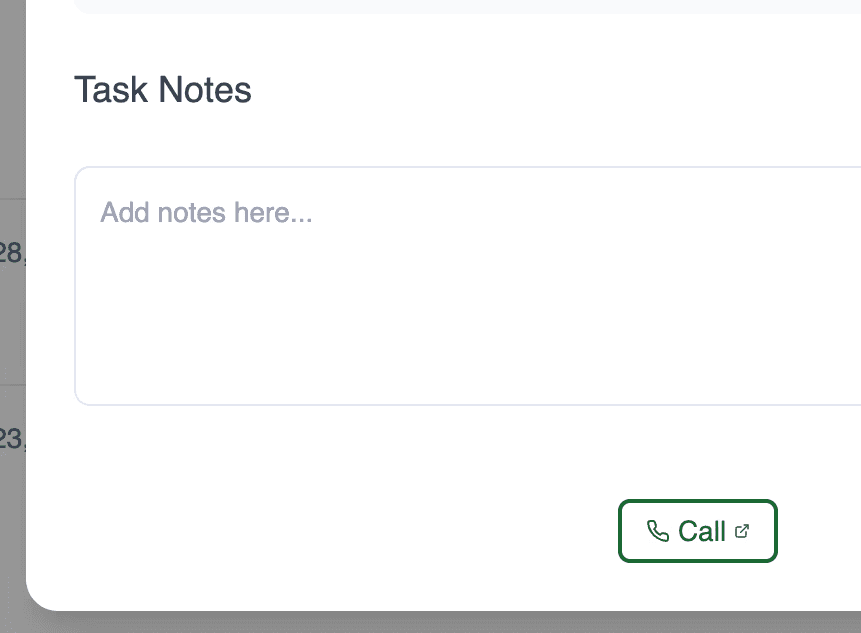
Patient info modal

Clicking a task opens a detailed modal with patient info, call/text history, and a place for staff notes and follow-up.
New task dashboard design

impact

improved staff efficiency and triage

Reduced cognitive load

Enabled more collaborative task workflows

Insurance Benefits View (Net-New Feature)

Insurance Benefits View (Net-New Feature)

Background

Background

Previously, Newton did not surface insurance data.
Staff and clinicians had to dig through multiple systems or call insurers directly to access patient eligibility and coverage details.

Design approach

Design approach

Centralized, High-Level Patient Summary

Built a new insurance panel showing all patients for the day, with key details like appointment time, provider, eligibility status, and member ID surfaced up front—enabling staff to scan coverage at a glance.

Instant Eligibility and Detailed Follow-Up

Eligibility status ("Verified," "Failed," "No Coverage") is clearly visible within the high-level patient list. Staff can click on any patient to jump to a detailed view, where they find all relevant information and next steps.
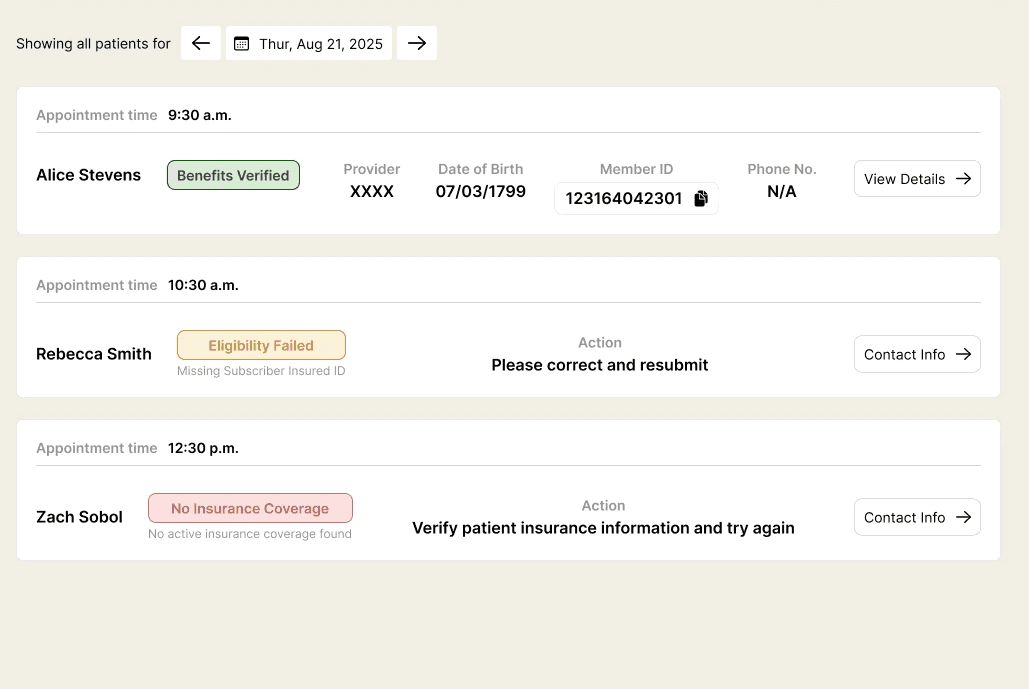
high-level summary of all patients scheduled for the day, with clear eligibility status & access to detailed coverage and next actions

NOTE: This is a first draft being released for learning—we’ll continue to refine the design based on live user feedback and adoption patterns.

impact

Instant overview of patient insurance eligibility

Staff can immediately see who is covered and who needs follow-up, saving precious time at the front desk.

Quick access to detailed coverage information

One click opens complete details, reducing manual searches and uncertainty.

Empowered confident patient support

Clear eligibility status helped staff answer questions on the spot, leading to smoother patient interactions.

Reduced time spent on paperwork and verification

Streamlined workflows meant less back-and-forth and more focus on patient care.

DSO Analytics (Net-New Feature)

DSO Analytics (Net-New Feature)

Background

Background

DSOs manage multiple dental locations and need visibility into each office’s performance—something missing entirely before this project.

DSO executives lacked a unified, real-time view of metrics across practices.

Design approach

Design approach

DSo analytics demo

Unified Location Performance at a Glance

Created a dedicated analytics dashboard, showing DSOs a comparative view of each practice’s performance metrics.

Conversation Type Filters for Deeper Insights

Added flexible filters to segment analytics by conversation type (text or phone), helping DSO leaders understand communication trends and outcomes.

key learnings

key learnings

Prioritize Progress Over Perfection

Working at a startup required me to value velocity and iterative improvement—shipping MVP solutions quickly rather than waiting for “perfect” features or exhaustive testing.

Resourceful, Data-Driven Design

With limited resources, comprehensive usability studies weren’t always possible. Instead, I relied heavily on rapid feedback loops, including PostHog session replays, to spot real user obstacles and guide fast, targeted iterations.

detached creative ownership

I learned not to fall in love with any single design. Remaining adaptable and open to change—driven by user behavior and clinical realities—was crucial.

accessibility

Designing for healthcare meant accessibility was non-negotiable. Every interface decision was made with clarity, readability, and inclusivity as top priorities.

Thanks for stopping by- let’s keep the conversation going

Thanks for stopping by- let’s keep the conversation going

Thanks for stopping by- let’s keep the conversation going

Whether it’s design, storytelling, shared playlists, or Hogwarts Legacy I’d love to connect!

© 2025 Rhea